Find slow-moving stock
Identify products and variants with limited recent sales and inventory still on hand.
Find products that aren't selling, spot potential stockout risks, and make more informed buying decisions using your Shopify store's inventory and sales data.
View InventoryPulse on the Shopify App Store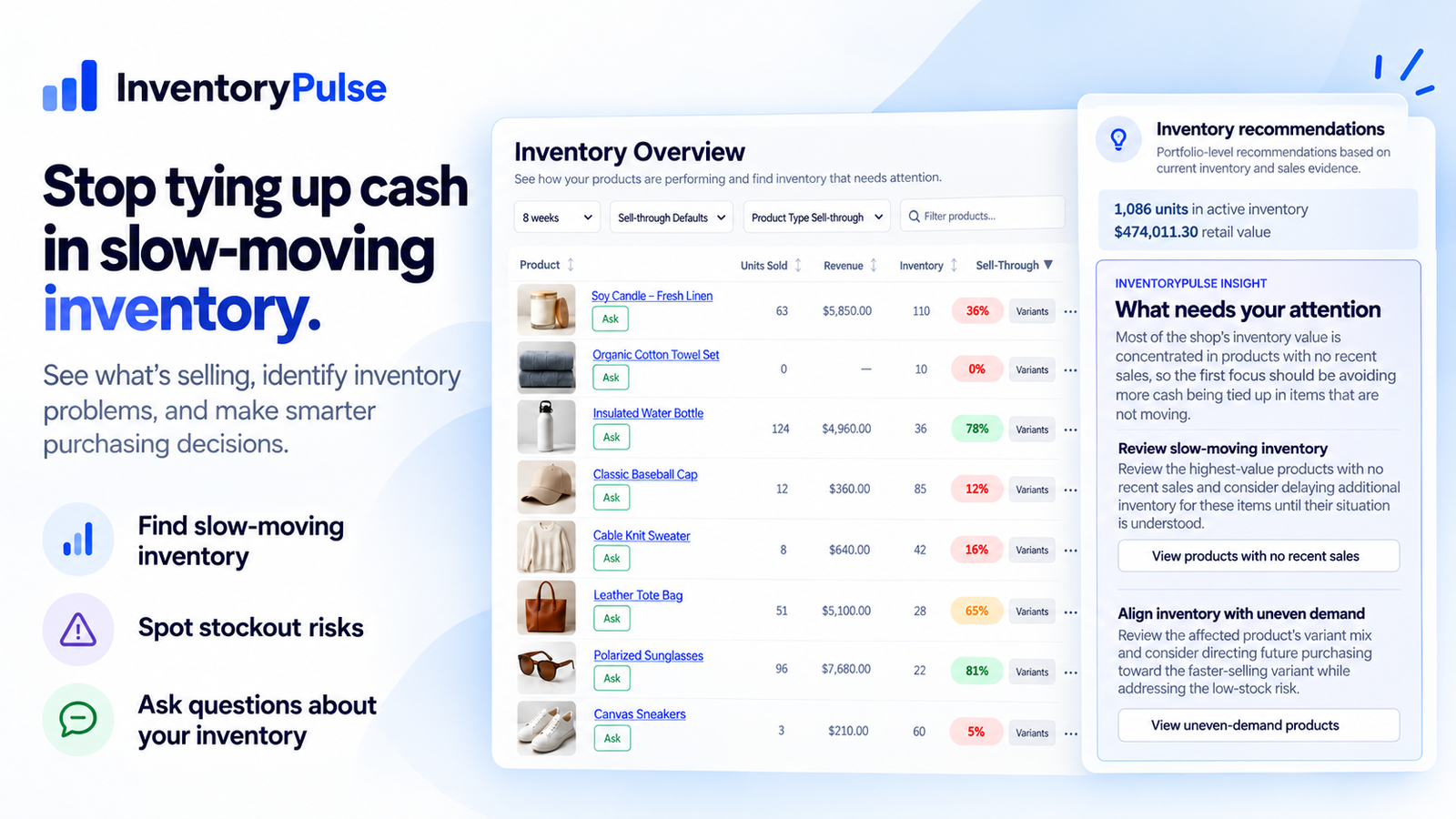
InventoryPulse brings inventory performance and recommendations together so you can investigate the products and variants that matter.
Identify products and variants with limited recent sales and inventory still on hand.
Compare sales performance with stock levels to understand how your inventory is moving.
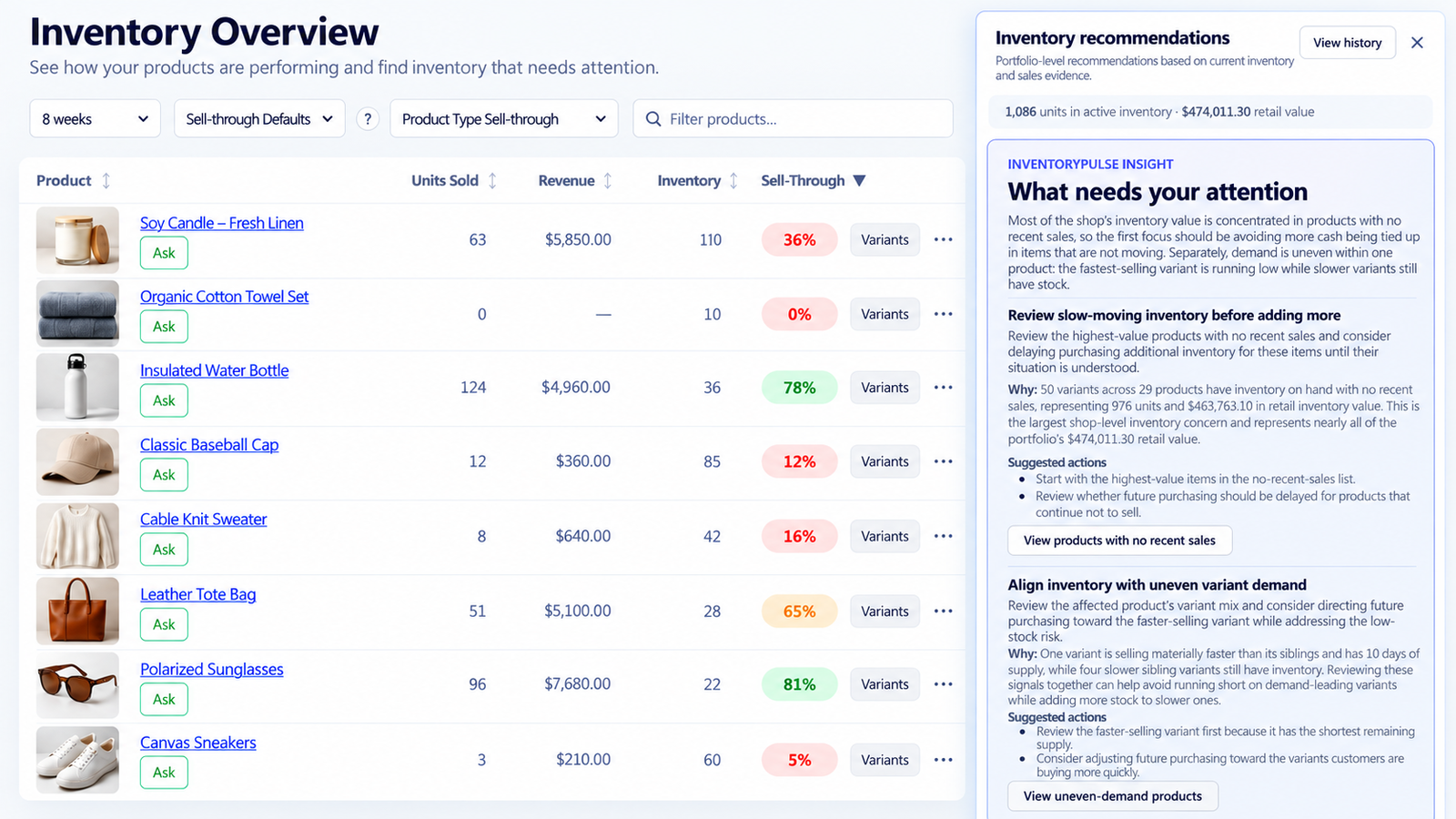
See inventory observations and suggested areas to investigate before your next buying decision.
Spot differences within a product instead of relying on product-level totals alone.
Review inventory levels, units sold, revenue, and sell-through performance in one view. Explore the product and variant details behind the numbers.
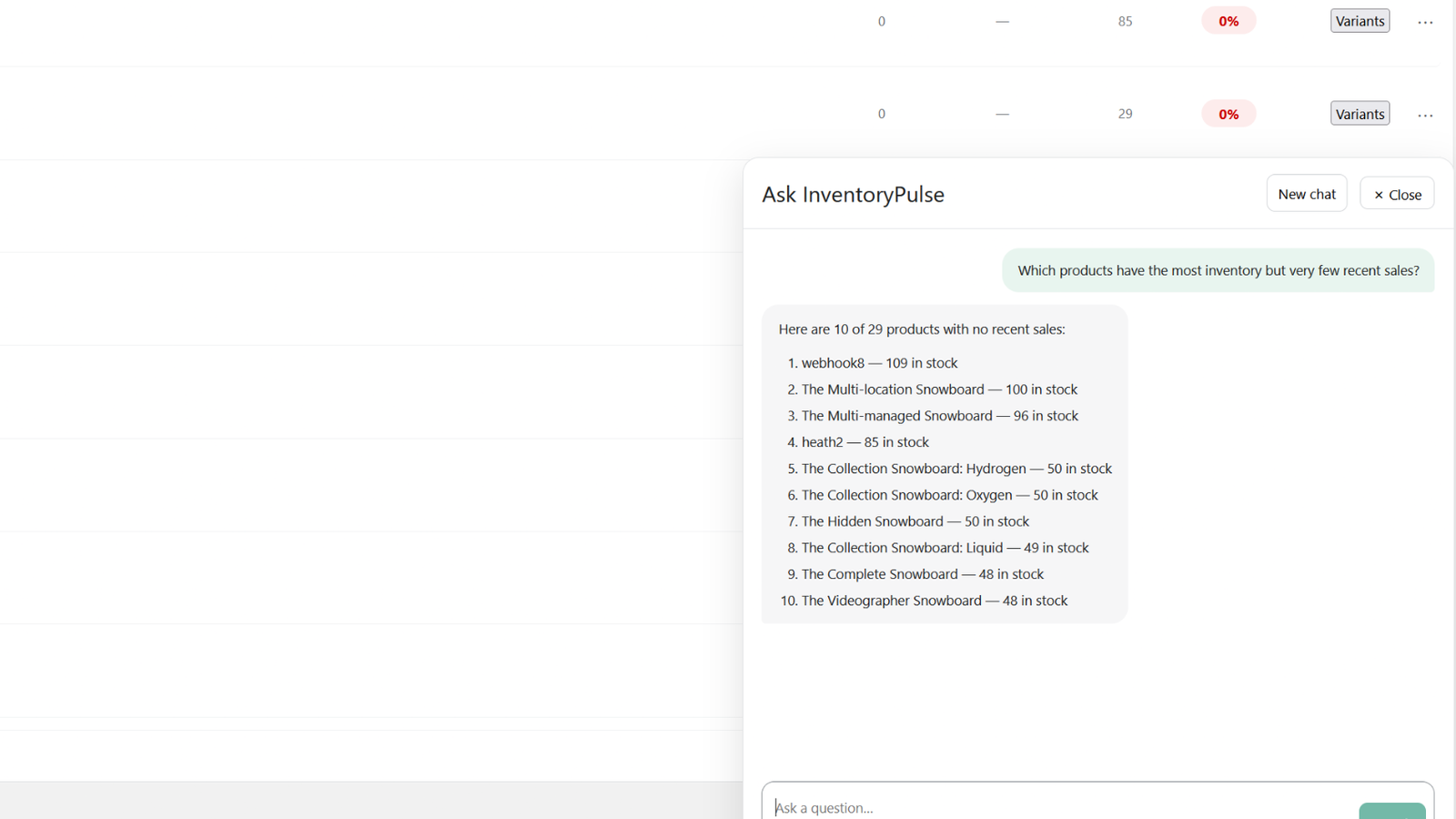
Ask InventoryPulse lets you explore your store's inventory data in plain English. Answers are based on available evidence, with limitations stated when the data doesn't support a firm conclusion.
InventoryPulse connects to Shopify using read-only access. It analyzes your existing inventory and sales data without changing product quantities, orders, or other store information.
Review inventory performance without granting InventoryPulse permission to modify your store data.
Use historical sales and inventory information to investigate trends and recommendations. Results are not guaranteed sales forecasts.
Identify slow-moving stock, compare product variants, review sell-through and sales velocity, and investigate inventory recommendations in one place.
View InventoryPulse on the Shopify App Store